Comparing resources
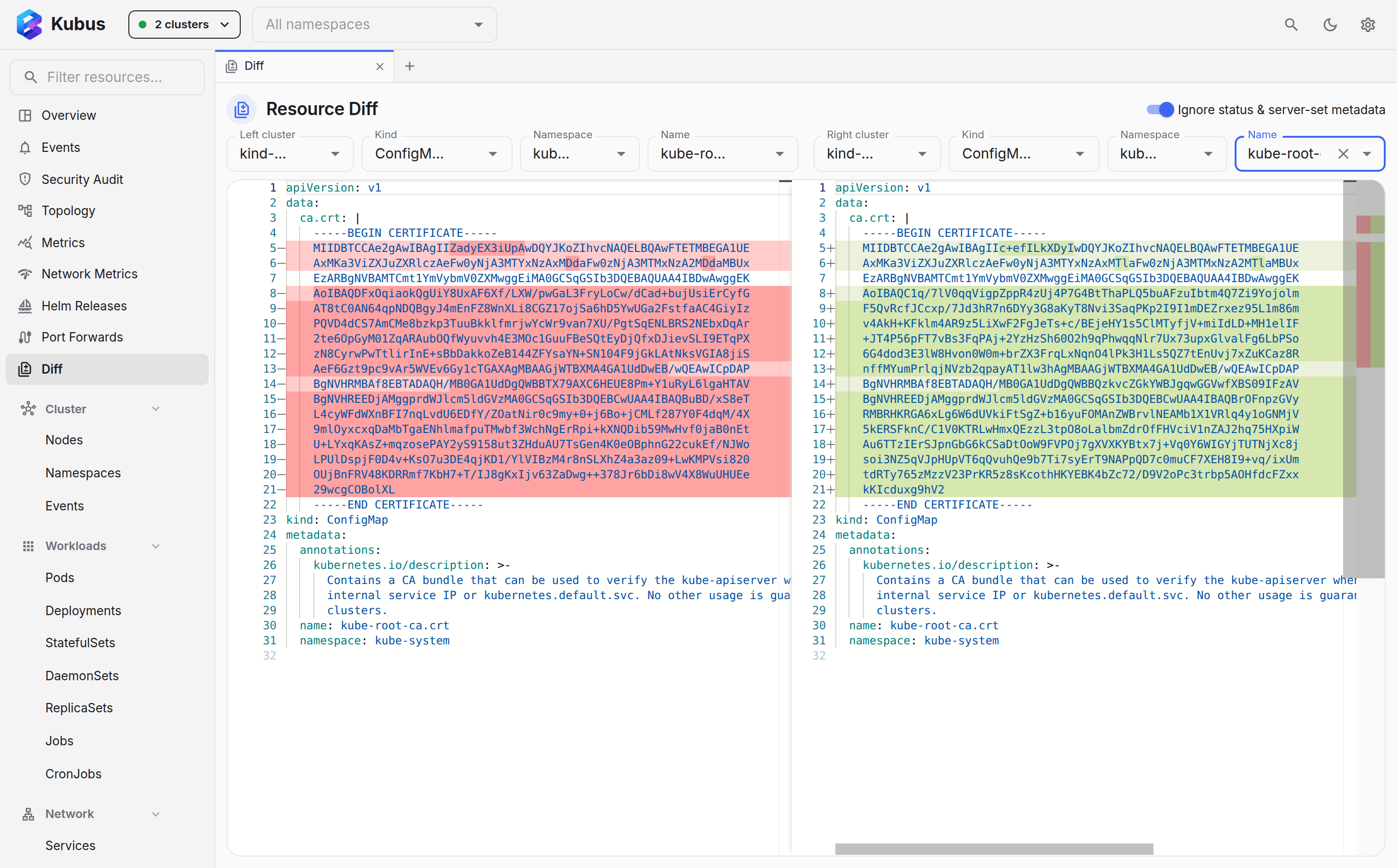
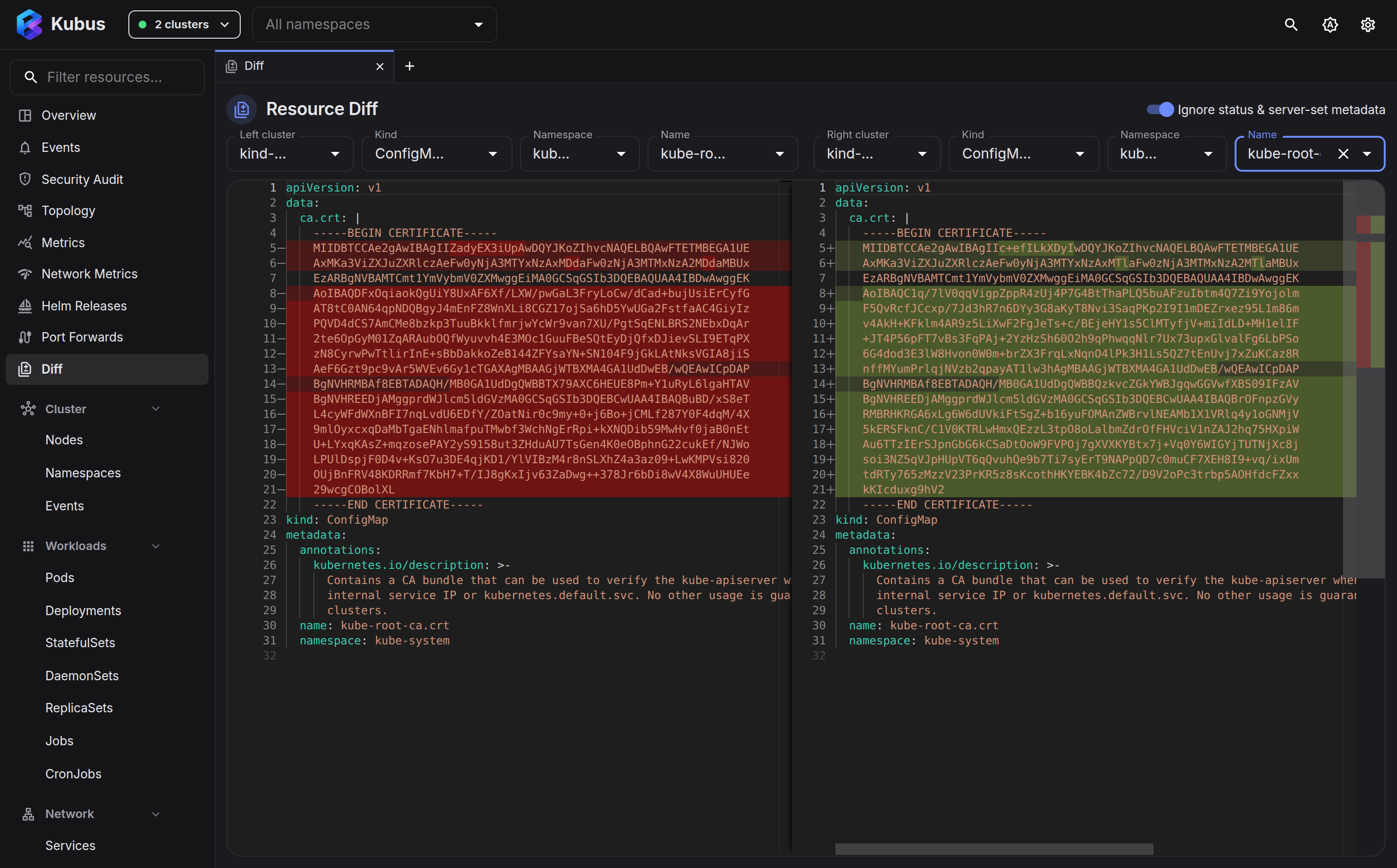
The Diff page puts two resources side by side and highlights what's different. The two sides can come from different clusters, namespaces or kinds. "Why does this work in staging but not prod?" usually has its answer here.
Start from where you are
You rarely need to fill in the pickers yourself:
- ⋮ menu → Compare with…, on any row or in the detail drawer, opens a new tab with that object on the left. The right side starts as the same kind, namespace and name in another cluster, preferring the clusters you have selected over the ones that are only connected. If that cluster has no such object, or there is no other cluster, the page says so and opens the right side's name picker for you.
- Check exactly two rows in a list and press Compare 2 in the bar above it. The first row goes on the left and the second on the right. With two clusters selected, the same Deployment in both is two clicks away.
Picking two sides
Open Diff from the nav (or Ctrl+K → Go to Diff). The left side starts in your selected cluster and the right side in the second one you selected, or the same one when you selected only one. When the namespace filter names one namespace, both sides start in it too. For each side, choose:
- Cluster (any of your selected contexts),
- Kind,
- Namespace (for namespaced kinds),
- Name.
The two objects render in a Monaco diff view, the same side-by-side diff you know from VS Code.
Changing a side's cluster keeps its kind and object, so you can point the right side at one cluster after another and compare the same object everywhere. The swap button at the end of the toolbar trades the two sides.
Same kind on both sides (on by default) keeps the two kind pickers together: pick a kind on one side and the other side switches to it as well, in its own cluster and namespace. To compare the ConfigMaps of two namespaces, pick the two namespaces, pick ConfigMap once and then the names. A side that gets its cluster before anything else starts on the other side's kind and namespace. Turn the switch off to compare objects of different kinds.
Above the diff, each side has a title with its cluster, kind and name. Click it to open that object in its list with the detail drawer; Ctrl-click (Cmd-click on macOS) or a middle-click opens it in a new tab and keeps the compare. The count at the right says how many blocks differ, or that the two sides are identical.
Normalise the noise
Server-set fields such as resourceVersion, uid, creationTimestamp, status and
managed-fields make almost any two objects look different. The Ignore status &
server-set metadata switch (on by default) strips that noise so you see the differences
that matter: spec, labels and the other things you actually set.
Turn it off when you specifically want to compare status or server metadata.
Two more controls narrow the view:
- Spec/data only compares just the payload:
spec, ordatafor ConfigMaps and Secrets,rulesfor Roles, and so on. It leaves outapiVersion,kind,metadataandstatus, which helps when labels and annotations differ between clusters for reasons you don't care about. - Only changes folds away the unchanged lines and keeps three lines of context around each difference. Click a fold to open it.
Secret values never reach the page, not even here. Each side shows a short fingerprint in place of every value, so a value that differs between the two Secrets still shows up as a changed line while neither value is revealed.
Reopen and share a compare
Both sides and all the switches live in the page's URL. A page tab showing a compare comes back exactly as you left it after a reload, a restart or Reopen closed tab, and it is named after what it compares, such as Diff: web. In a browser, bookmark or share the address to hand someone the same compare.
Good things to diff
- The same ConfigMap or Deployment in two clusters (staging vs prod).
- A resource before and after an edit (compare it to a known-good copy).
- Two similar workloads in different namespaces.
See also
- Resource details & YAML lets you edit once you've spotted the difference.
- Helm releases compares what two releases rendered.