Helm releases
Kubus speaks Helm natively and needs no helm binary. The server reads and decodes
release records directly (secret and configmap storage drivers), and renders charts with
Helm's own engine compiled to WebAssembly. That covers the full lifecycle, hooks included:
browse repositories, install, edit values, upgrade, roll back and uninstall.
The releases list
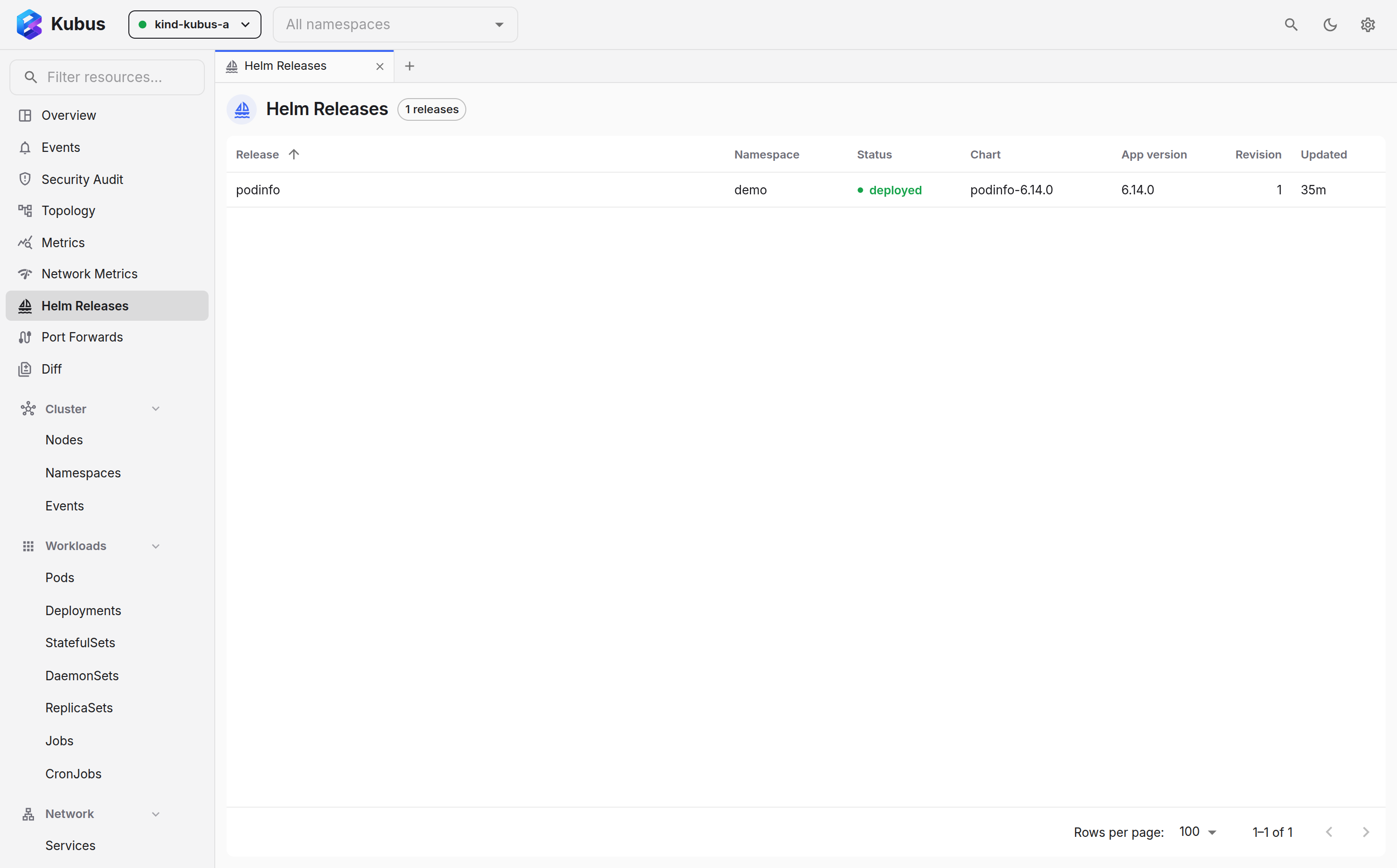
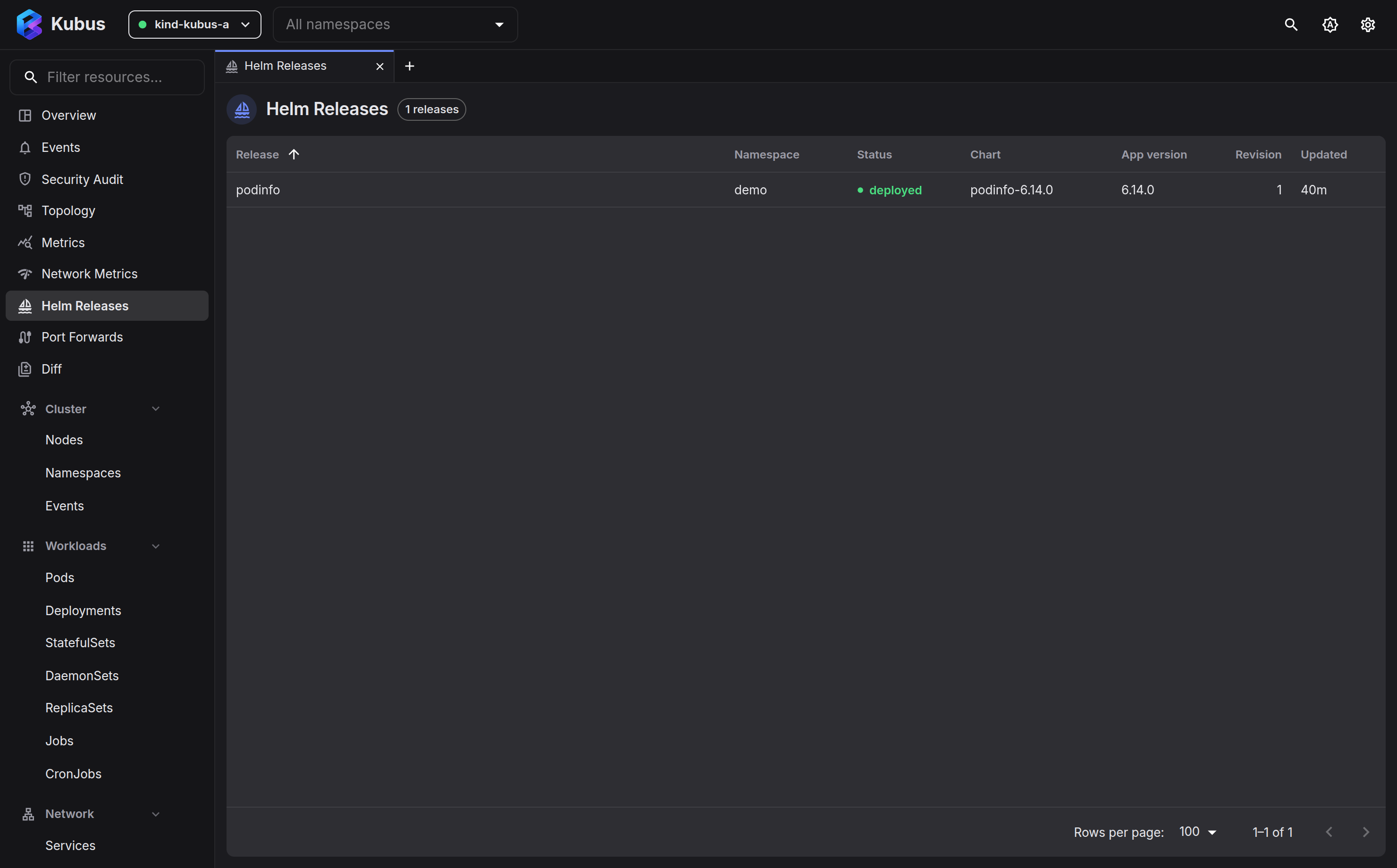
Open Helm from the nav (or Ctrl+K → Go to Helm Releases). You get every release across your selected clusters, with namespace, status, chart and app version, revision and last-updated. Kubus also checks the configured source that contains each installed chart and shows the newest available stable version inline. The page header summarises how many releases have updates, and Check for chart updates checks again without making one request per release.
The list is live. The server watches each cluster's Helm release records, so an upgrade
from the helm CLI, a GitOps controller or another Kubus window shows up within a second,
with no refresh. Only record metadata is watched, never the payloads, so this costs the
cluster almost nothing. The Live badge in the header confirms the watch per cluster;
when a cluster does not allow Kubus to list secrets cluster-wide it reads Polling
instead, with the reason in the tooltip, and the list falls back to a regular poll. A tab
that was hidden catches up the moment you come back to it.
Use the filter box to narrow the list by name, namespace, chart or cluster, and the Needs attention toggle to see only releases whose record is not settled (failed, pending, unknown) or whose latest operation failed. Updates shows the releases with a newer chart version available. When a cluster's releases cannot be loaded at all, the page says so and keeps the other clusters' rows on screen.
Right-click a release for Open release, Upgrade… and Uninstall….
Update checks consult your configured repositories and Artifact Hub, so the names of installed charts are sent to artifacthub.io. Only sources whose version history actually contains the installed version may suggest an update, which keeps same-name charts from unrelated publishers out of the results.
The list honours the namespace filter, and shows a Cluster column when several are selected. Click a release to open it.
Installing charts
Hit Install chart on the releases page. Artifact Hub search is built in: type any
chart name (harbor, cert-manager, nginx…) and every public chart is there, with official
and verified publishers flagged. No repository setup is needed. You can still add your own
repositories (e.g. prometheus-community → https://prometheus-community.github.io/helm-charts)
for private or unlisted charts and browse their catalogs the same way. Pick a chart and
you get:
- a version picker across everything the repo publishes,
- the chart's default values in an editor, plus its rendered Markdown README (tables, task lists, links and code blocks included),
- release name, target cluster/namespace (with create namespace),
- Preview manifest, which shows the fully rendered resources and computed values before anything is applied,
- Kubernetes server-side dry-run validation, so unsupported or invalid resources are reported before the install,
- automatic background readiness checks for Deployments, StatefulSets, DaemonSets, Jobs, Pods and PVCs.
The editor starts with the chart defaults for context, but Kubus records only the values you actually changed. This keeps later upgrades understandable and lets new defaults from the target chart take effect.
Charts served from OCI registries (oci://registry-1.docker.io/bitnamicharts/nginx) or a
direct .tgz URL install through the same dialog. Paste the ref and pick the version.
Editing values & upgrading
Upgrade on the release detail opens the release's current user-supplied values in an editor. This is the point where other tools send you back to a terminal. Change what you need, then keep the current chart or pick a newer version. Kubus resolves the chart across your configured repositories and Artifact Hub, so any public chart offers its full version history without further setup.
The upgrade dialog keeps the information needed for a safe decision together:
- versions are labelled update, current or downgrade,
- Your values shows the overrides carried into the target release,
- Default values diff shows what the chart itself changed between versions,
- the target version's rendered README is available beside the values,
- values which no longer exist in the target defaults are called out,
- Preview changes compares user values, computed values, chart defaults and the rendered manifest.
Kubus validates the candidate resources against the Kubernetes API before applying them.
During the real operation it records a pending revision, waits for Deployments,
StatefulSets, DaemonSets, Jobs, Pods and PVCs, and marks the revision deployed only after
they are ready. The release history remains visible to the helm CLI.
Installs, upgrades and rollbacks run as background operations. Starting one closes the dialog immediately, and workload readiness is always checked without blocking the UI. The Helm Releases overview follows chart resolution, rendering, hooks, each resource apply/prune, and workload readiness. Active operations and failures are shown inline; recent successful operations remain available from the same overview. An individual release page also shows its latest operation. You can navigate anywhere while it runs. Completion and failure notifications remain visible, and a failed operation keeps the waiting resources, exact phase, last successful revision and recovery guidance in the releases overview.
Readiness includes current pod failures and Kubernetes warning events, not just replica
counts. If a one-replica rolling Deployment deadlocks because its replacement pod cannot
attach the old pod's ReadWriteOnce volume, Kubus reports the exact multi-attach error
inline, recreates that workload with brief downtime, and restores the chart's rollout
strategy once it is ready. A workload that remains in CrashLoopBackOff for 90 seconds is
failed early so recovery is not locked behind the full readiness timeout.
Rendering happens server-side with Helm's real template engine (compiled from
helm.sh/helm/v4 to WASM), against your cluster's actual capabilities: the kube version
and the available API groups. Templates that branch on .Capabilities therefore render
correctly. Helm values schema validation also runs while rendering.
What a preview can prove
A successful render and Kubernetes server-side dry-run prove that the values and resources are structurally valid. They cannot prove that a container will start, a hook will succeed, or an application can migrate its data. Kubus checks runtime readiness during the real background operation.
Helm storage compatibility and apply semantics
Kubus reads and writes Helm v3 release records, uses Helm's renderer, and keeps
history visible to the helm CLI. Resource reconciliation currently uses Kubernetes
server-side apply with the kubus field manager, rather than Helm CLI's client-side
three-way patch. That can change managed-field ownership when a release moves between
Kubus and another manager; preview the manifest diff before switching tools.
Inside a release
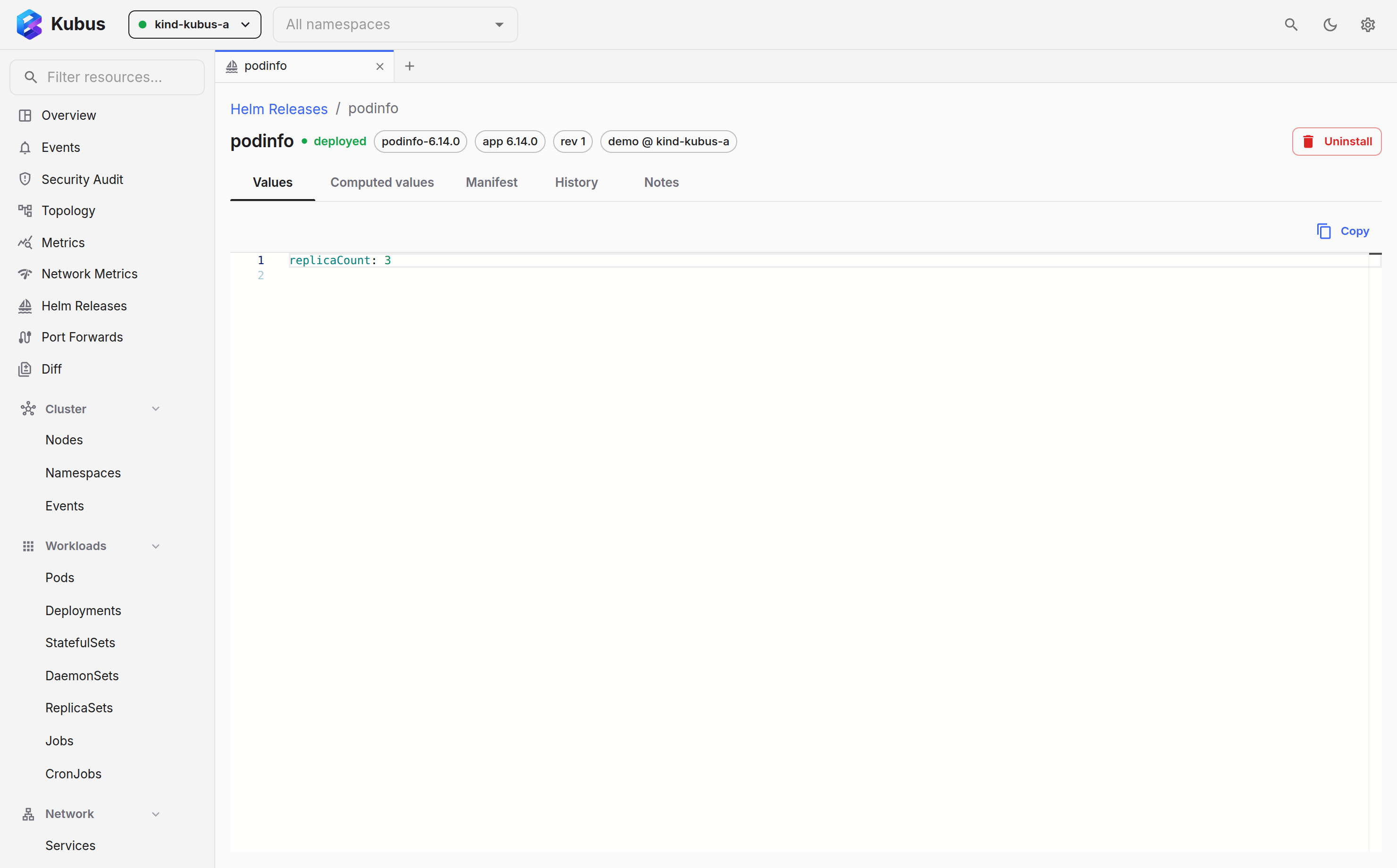
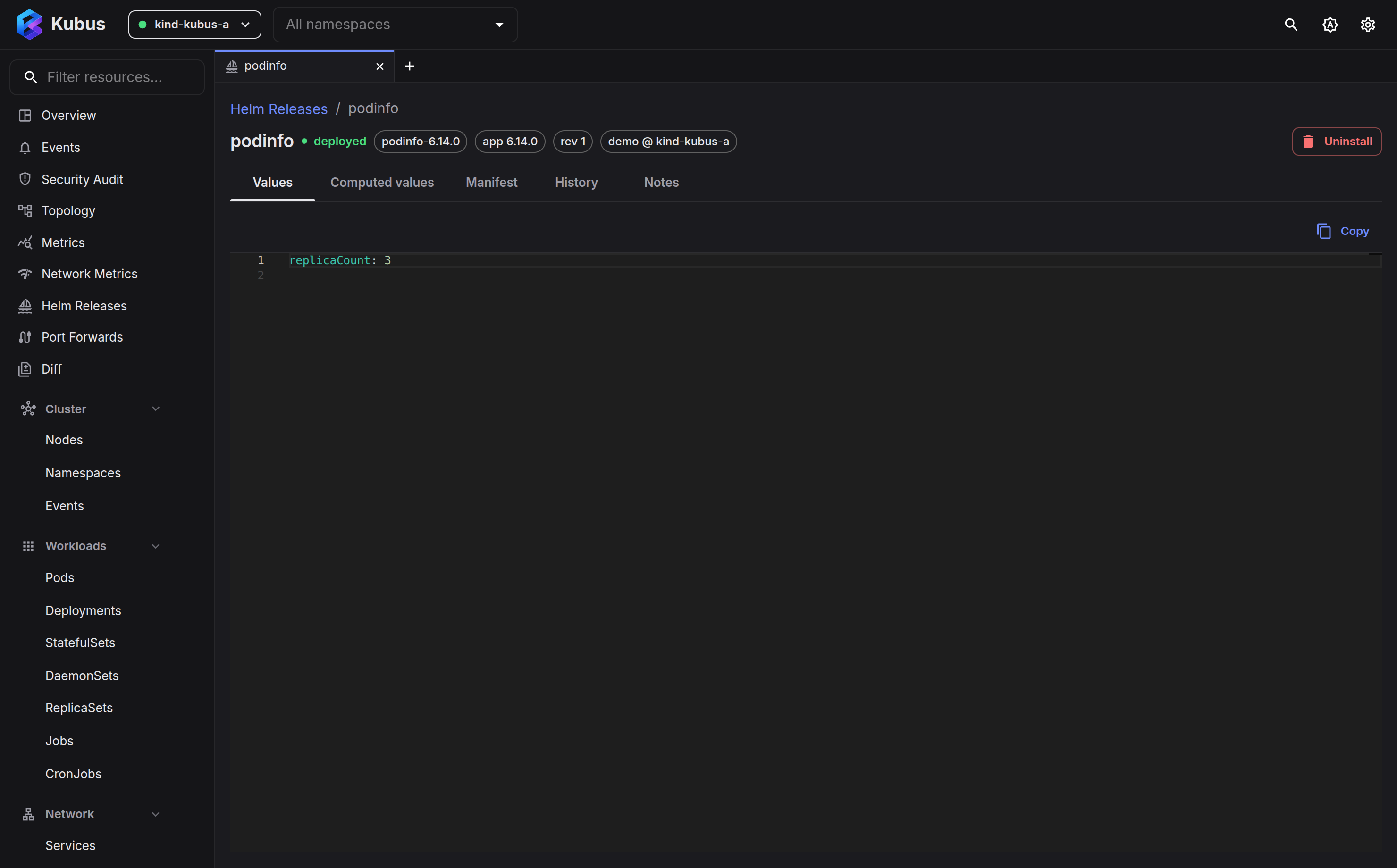
The header names the release, its status, namespace and cluster, and carries the actions:
Upgrade (labelled with the newest version when one is available, or Retry / recover
after a failure), Roll back with a menu of the revisions Helm can return to, and
Diff against the previous revision. Roll back and Diff only show once the release has
an earlier revision; until then the ⋮ menu lists them greyed out with the reason.
Uninstall lives in the ⋮ menu. The summary strip below answers the first questions at
a glance: the chart and app version with a link to the chart's source, the revision and
when it was deployed, how many of the release's objects are ready, whether an update is
available, and whether the chart's tests passed the last time helm test ran. The page
updates itself like the list does.
| Tab | Shows |
|---|---|
| Overview | The release's objects resolved against the cluster, each with its live state, plus the release details (description, first and last deployed, storage driver, dependencies, hooks, shipped CRDs, chart sources). |
| Values | The values you supplied at install/upgrade. |
| Computed values | The fully-merged values Helm actually used (your values + chart defaults). |
| Manifest | The rendered Kubernetes manifests for the release. |
| History | Every revision, with chart/app version, change-cause, a Diff and a Roll back button. The current revision is marked. |
| Notes | The release NOTES.txt, if the chart provides one. |
The Resources section on the Overview tab lists every object the current revision renders, in install order. The hooks stored in the release fold into one row at the end, such as 3 test hooks … not present until helm test runs; expand it to see them. It opens by itself when a hook is running or has failed. Deployments, StatefulSets, DaemonSets, Jobs, Pods and PVCs show their rollout state (Ready, Progressing or Failed, with the reason on hover); other kinds show Present or Missing. Click any row to open that object's details drawer. The section re-checks the cluster every few seconds while it is in view, so a Deployment that is still rolling out after an upgrade is visible without leaving the release.
If an install, upgrade or rollback fails, Kubus keeps the failed revision instead of reporting a false success. The error identifies the failed phase and resources, links the latest successful revision, and offers a diff and recovery path. Some resources may already have changed, so inspect workload logs and events before choosing recovery.
Comparing revisions
Before rolling back, or when you want to know what an upgrade actually changed, hit Diff on any revision in the History tab. You get a side-by-side comparison against the current revision, and you can re-pick either side to compare any two revisions, across three views:
- Values: what you changed between the revisions.
- Computed: the fully-merged values, chart defaults included.
- Manifest: the rendered Kubernetes objects, the ground truth of what changed.
Rollback & uninstall
- Roll back returns the release to any earlier revision from the History tab. Helm records it as a new revision, so the trail stays intact. Kubus restarts workload pods during rollback so restored Secrets and ConfigMaps are actually loaded.
- Uninstall removes the release and all its resources. Like helm, CRDs shipped in the
chart's
crds/directory are left in place by default, because deleting a CRD destroys every custom resource of that kind cluster-wide. The uninstall dialog offers an opt-in checkbox that removes them too, listing exactly which ones. If any cleanup fails, Kubus keeps the release history available for inspection and retry.
Lifecycle hooks run the way Helm runs them: filtered per event (pre-install,
post-upgrade, pre-delete, …), ordered by weight, with delete policies honoured and
Job/Pod hooks awaited. Rollback and uninstall execute the hooks stored in the release
record.
Downgrades and data migrations
A chart downgrade is not necessarily an application downgrade path. Kubus highlights downgrades and requires explicit confirmation, but restoring Kubernetes manifests cannot reverse a database or other persistent-data migration. Follow the chart maintainer's backup and recovery procedure first.
Harbor is a concrete example: its maintainers state that database schema downgrade is
not automatic and that helm rollback is unsupported. See
Harbor's Helm upgrade documentation.
Values-only upgrades and subcharts
The chart stored in a release record doesn't preserve subchart dependencies, so
upgrading a chart that declares any needs a chart source. Add a repository that
carries it (or paste its oci:// ref) and Kubus fetches it fresh.
Protected clusters
On a protected cluster, install, upgrade, rollback and uninstall require you to type the release name first.
See also
- Resource details shows the objects a release created.
- Comparing resources diffs a release's objects across clusters.