Settings
Open settings from the gear in the top bar. The sections are listed on the left, and the dialog reopens on the one you used last. Each section is a list of settings with a short explanation on the left and the control on the right. In a narrow window the section list becomes a picker at the top. Close the dialog with the close button or Esc.
Nearly everything here is stored in your browser/app profile. The one exception is the
debug image catalog, which the server keeps in settings.json so the images are available
from any window.
Kubeconfig
Shows which kubeconfig file(s) Kubus is reading and where that choice came from
(--kubeconfig flag, $KUBECONFIG, a saved override, or the default). Point Kubus at a
different file with Kubeconfig path under Override, then Apply (or Enter).
Reset goes back to the file Kubus would pick on its own.
Clusters
The home for managing the clusters in your kubeconfig:
- Add cluster lets you paste or fill in a new cluster.
- Edit () changes a cluster's API server, credentials, TLS and proxy settings. See Adding, editing & removing clusters and Reaching clusters behind a proxy or bastion.
- Protect () marks a cluster as protected. You can also set protect by default so every cluster is guarded until you say otherwise. See Production guard.
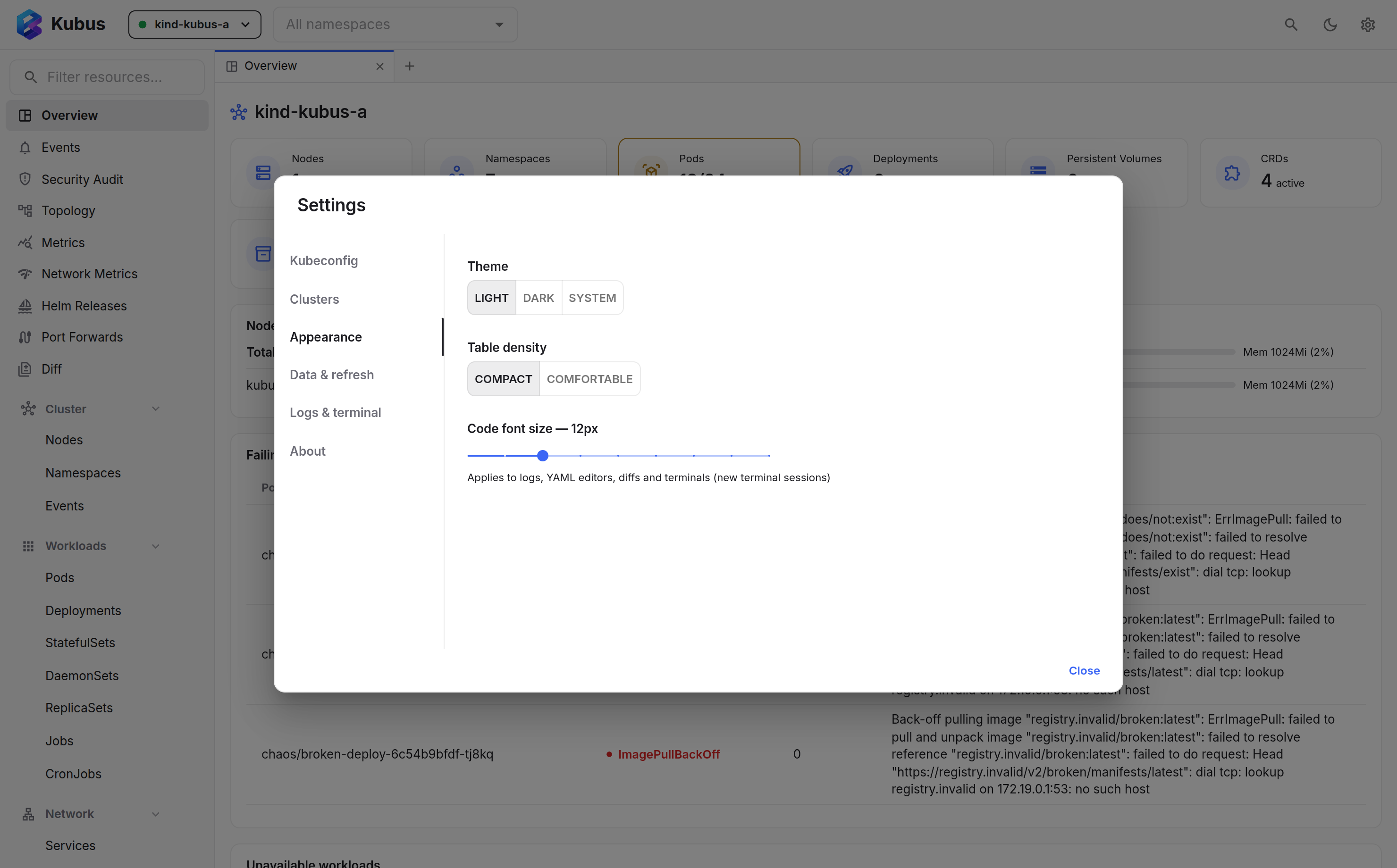
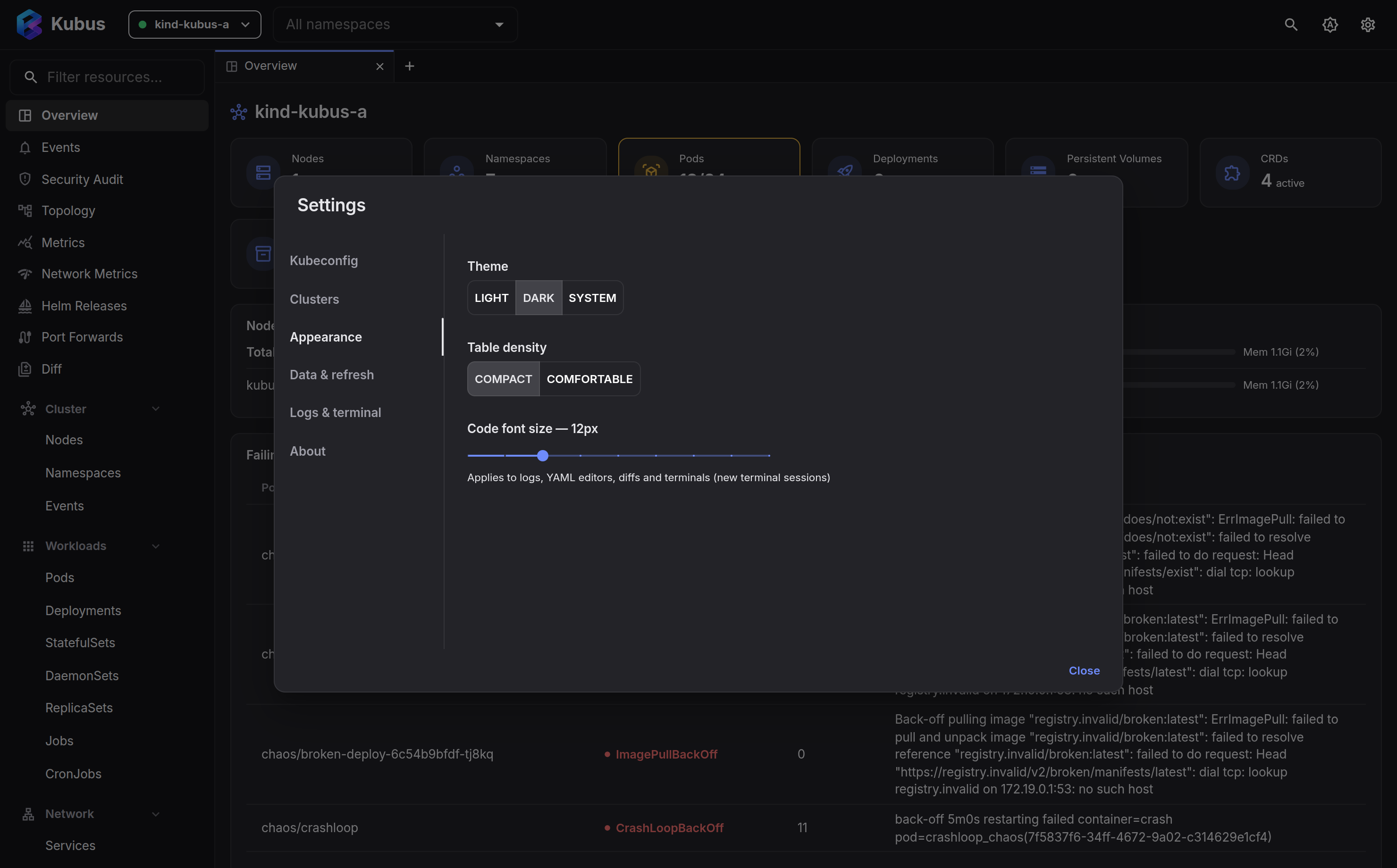
Appearance
| Setting | Options | Default |
|---|---|---|
| Theme | Light / Dark / System | System (follows your OS) |
| Table density | Compact / Comfortable | Compact |
| Code font size | 10 to 18 px | 12 px |
Data & refresh
Kubus keeps lists and Helm releases live over a WebSocket watch no matter what. Metrics, events and the overview are polled instead, and this setting controls how often:
| Setting | Effect |
|---|---|
| Fast | Poll roughly twice as often |
| Normal | The default cadence |
| Slow | Poll about half as often |
| Off | Stop polling. Useful on slow links or to save API calls |
Helm keeps a slow safety-net poll on the same scale, and switches to the normal polling cadence for a cluster whose release records it is not allowed to watch. The badge on the Helm pages tells you which of the two you are looking at.
Logs & terminal
Defaults for the log viewer and terminals:
Logs
| Setting | Options | Default |
|---|---|---|
| Tail lines | 100 / 500 / 1000 / 5000 | 500 |
| Wrap long lines | on / off | off |
| Syntax highlighting | on / off | on |
| Timestamps | Hidden / Local / UTC | Hidden |
Terminal
| Setting | Options | Default |
|---|---|---|
| Default shell | Auto (bash, else sh) / sh / bash / custom path |
Auto |
| Copy on select | on / off | off |
| Right-click | Copy selection, otherwise paste / Always paste / Show context menu | Copy selection, otherwise paste |
Debug containers
The image catalog offered by the debug container dialog. The built-in presets (busybox, the DebugBox tiers, netshoot) are listed alongside your own entries. Add an internal toolbox image, a different busybox tag, or anything else your registry serves. Each entry has a name, an image reference, an optional description and an optional security profile that is pre-selected with it. An entry named like a built-in preset replaces it.
Your entries are stored server-side in settings.json (key debugImages),
next to your Helm repositories.
Diagnostics
Kubus keeps its own log in memory on this machine. Turn on Capture verbose diagnostic logs before you reproduce a problem to record cluster discovery, API access, watches, port forwards and Helm operations in more detail. Warnings and errors are always captured. View logs opens the log viewer, and Export logs saves it as a file you can attach to a bug report. Nothing leaves your machine unless you export it.
About
Shows the version you are running, with buttons to the documentation, the release notes of this version, the GitHub repository and a new issue. Below that:
- Updates checks for a newer release. The desktop app can also download it and install it when you restart.
- This installation lists the facts a bug report needs: version, whether you run the desktop app or the web app, the operating system, the Electron and Chromium versions (or your browser), and whether the Helm engine is available. Copy diagnostics copies them as text. It never includes your API token or cluster details.
- Made by has links to the author and ways to support the project.
See also
- Keyboard shortcuts lists every shortcut.
- Command-line flags are the settings you pass at launch.