Production guard & secrets
Kubus is built to be safe to point at real clusters. Two features do most of that work: the production guard for destructive actions, and secret redaction for sensitive data.
The production guard
Mark a cluster as protected and Kubus inserts a deliberate speed bump in front of anything destructive: you must type the resource's name to confirm.
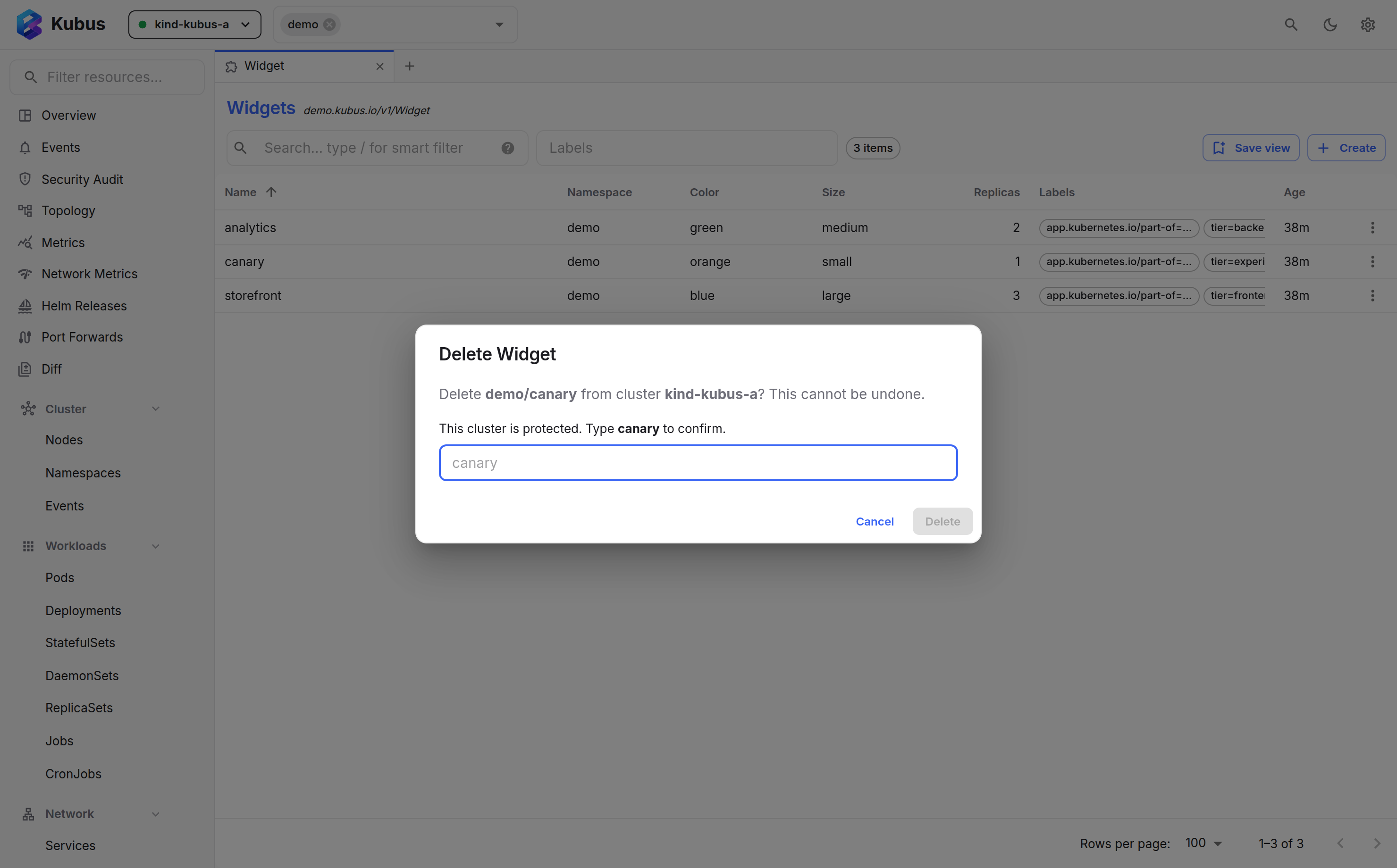
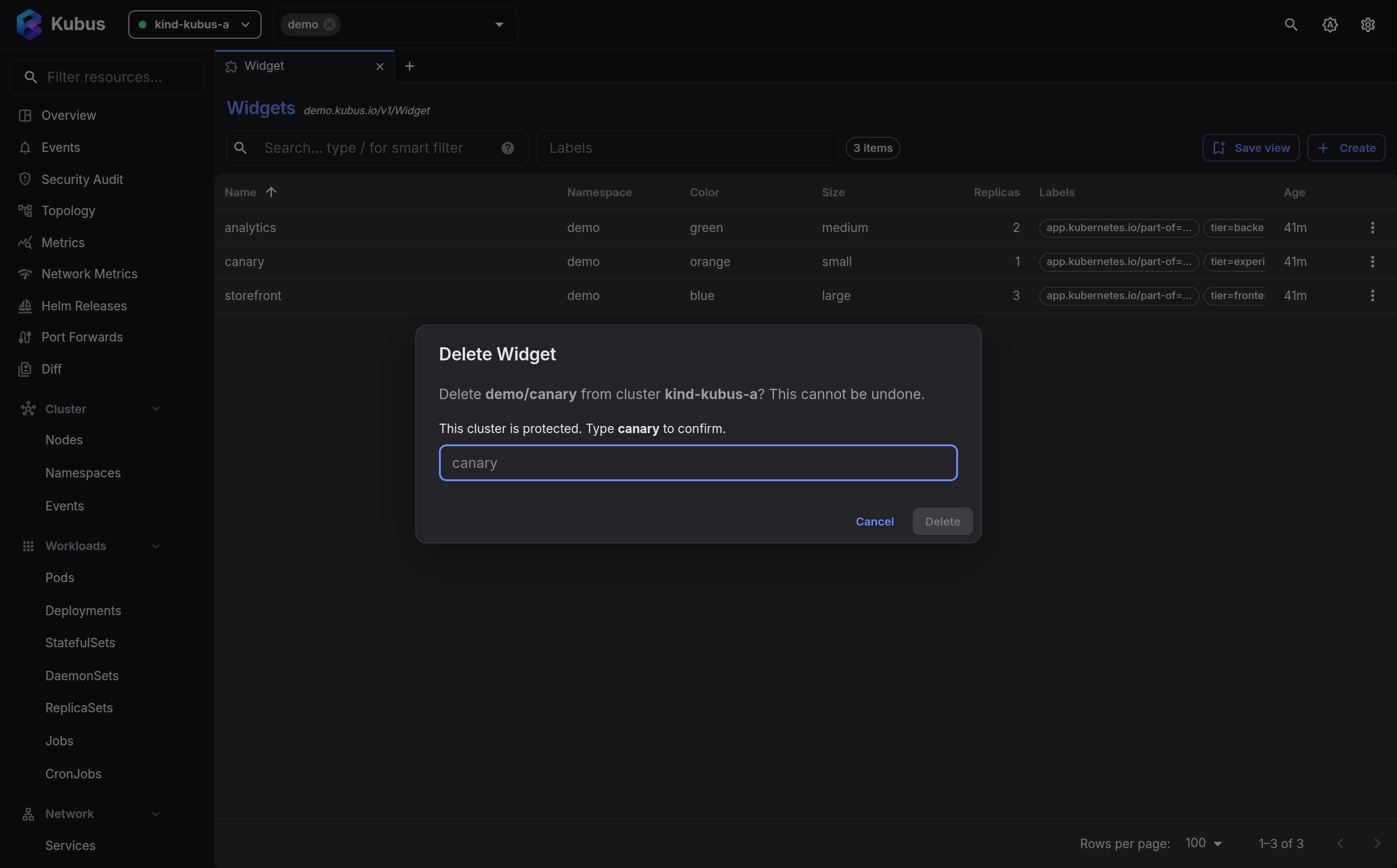
What it gates
- Delete anything
- Scale to zero (taking a workload to no replicas)
- Drain and cordon a node
- Node shell (a privileged pod on the host) and node debug containers
- Restart pods, Helm rollback and uninstall
- Argo CD Sync, Argo Rollouts Promote, Abort and Retry, and Flux Suspend and Resume
Non-destructive actions stay one click away. The guard only stands in front of the things you can't undo.
Turning it on
In Settings → Clusters, toggle protection per cluster. You can also set protect by default, so every cluster is guarded unless you explicitly mark it safe. That's a good default if you mostly work against production.
A guard, not a wall
The production guard lives in this browser's UI. It protects against slips and fat-fingers, but it is not a server-side permission boundary: anyone with your kubeconfig still has whatever access it grants. For real authorization, use Kubernetes RBAC.
Secrets are redacted by default
Kubus never shows Secret data unless you ask. Values are redacted in lists, in details and
in the live watch streams that back them, and appear as ••••.
To see a value, open the Secret's details drawer and reveal it explicitly. Revealing is a deliberate, per-resource action. There's no global "show all secrets" switch to leave on by accident.
Copy all on a Secret's Data tab follows the same rule. With the values revealed it copies them straight away; while any value is still hidden, Kubus first asks whether to put the decoded values on the clipboard, and they stay hidden on screen either way.
Safe to screen-share
Because redaction is the default and reveal is explicit, you can demo Kubus or share your screen without a Secret value flashing past.
See also
- Security model explains how Kubus stays local and authenticated.
- Settings is where you toggle protection.