Resource details & YAML
Click any resource name and a details drawer slides in from the right. It gives you a human-friendly view, a browsable manifest and the raw YAML, without leaving the list you're on.
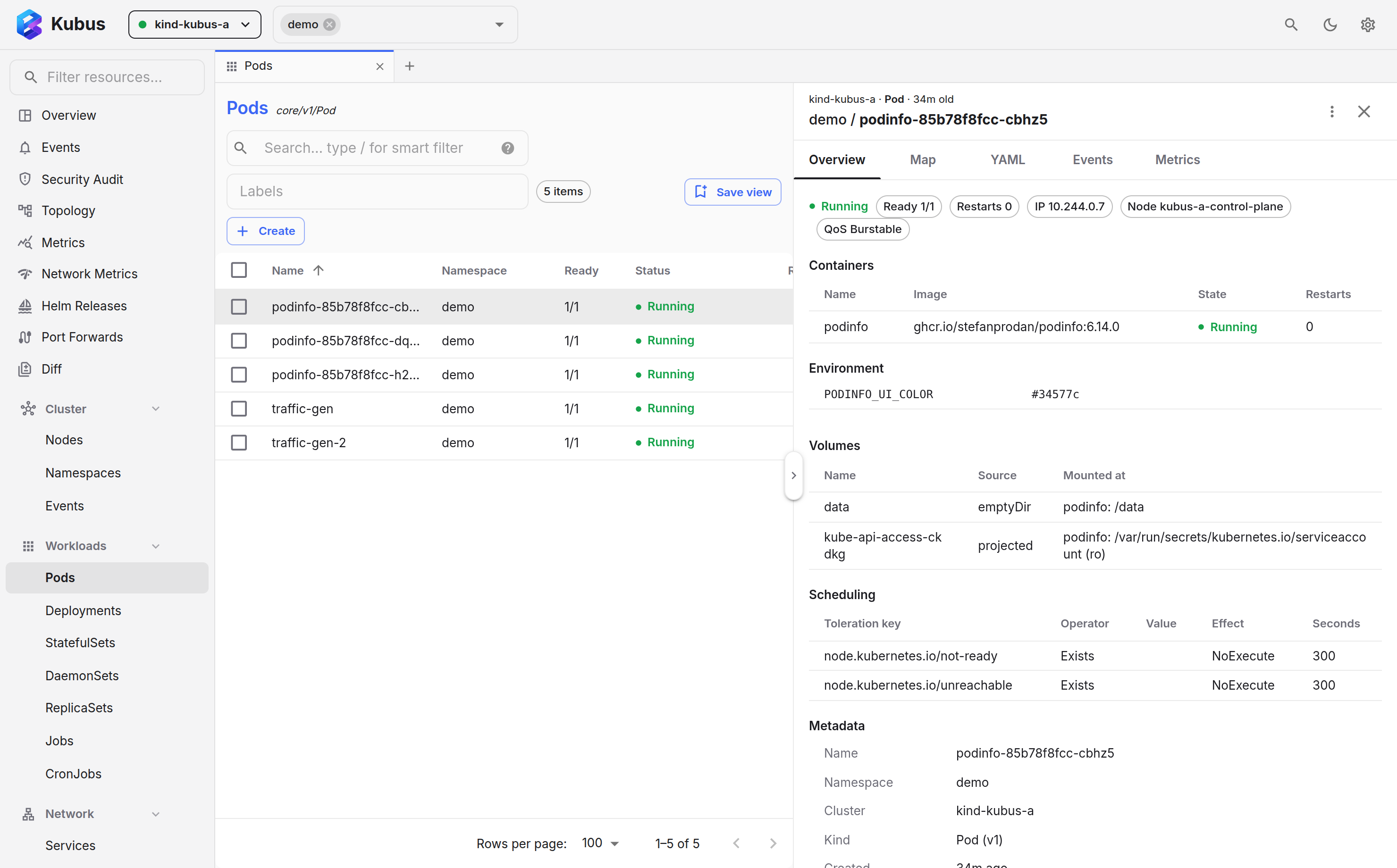
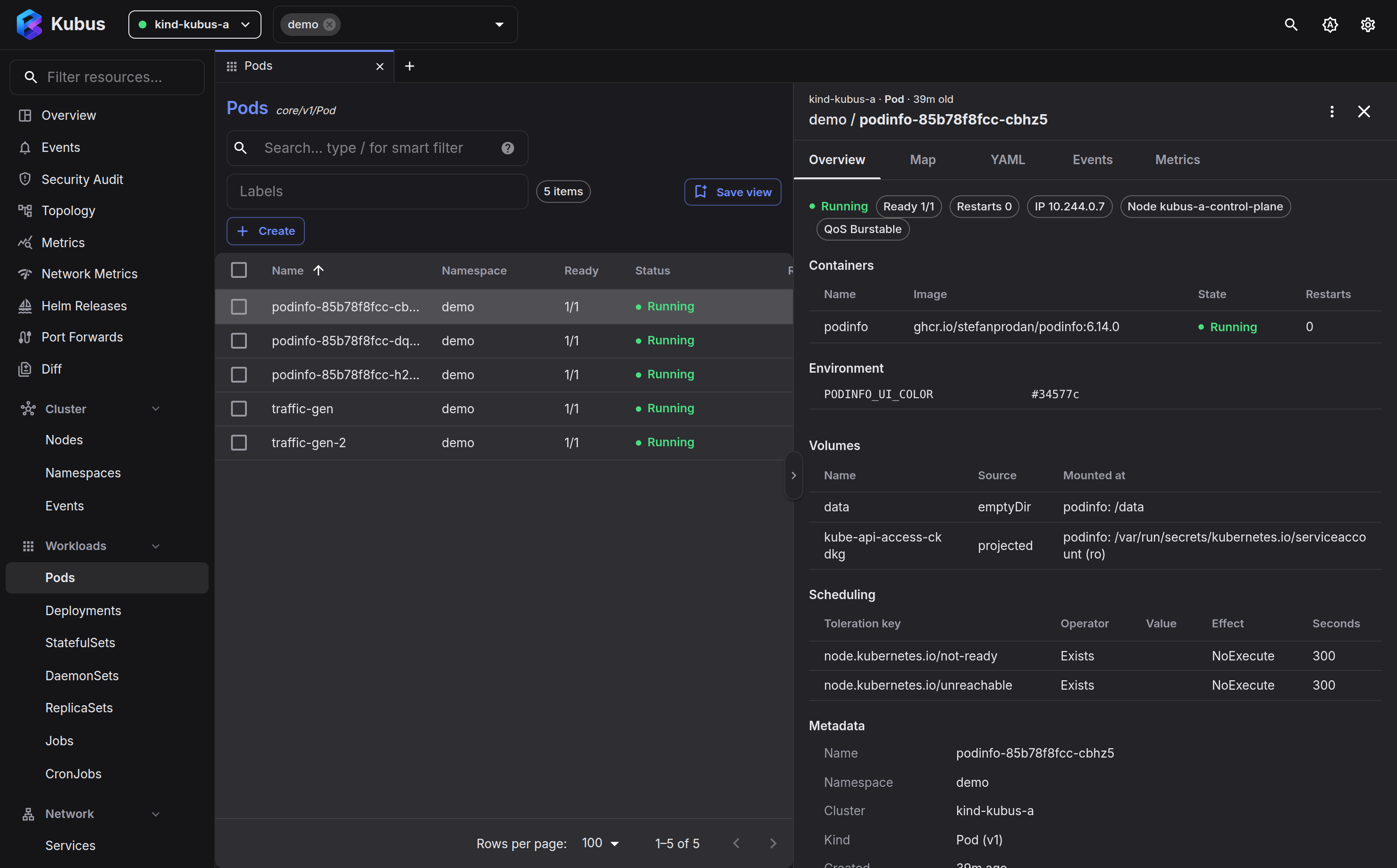
The tabs
| Tab | Shows | Available for |
|---|---|---|
| Overview | A kind-aware summary (see below). | Every kind |
| Manifest | The object as a browsable tree or as YAML, editable either way. | Every kind |
| Schema | The CRD's OpenAPI schema, with a picker for the served versions. | CustomResourceDefinitions |
| Data | Each key with its value, editable one key at a time. Copy all copies every key as KEY=value lines or as YAML ready to paste into a manifest. |
ConfigMaps, Secrets |
| Events | Events involving this object, newest first, Warnings highlighted. The tab carries a count of recent warnings before you open it. | Every kind |
| Map | A focused topology graph of what this object relates to. | Every kind |
| Metrics | Live CPU/memory history charts. | Pods, Nodes |
| History | Rollout revisions with images and change-cause, and rollback. | Deployments, StatefulSets, DaemonSets |
Kind-aware overviews
The Overview tab adapts to what you're looking at.
Every overview opens with a summary strip, the handful of numbers that say how the object is doing. A why isn't this ready banner follows whenever something is wrong, and collapsible sections hold the rest.
- Pods show ready count, restarts, node and IP up top, then one panel per container
with its state, image, restarts, CPU/memory against requests and limits, ports, and its
own probes, environment, mounts and command a click away. Below that come init and
ephemeral debug containers, placement and identity details, volumes, scheduling,
conditions and metadata. Related ConfigMaps, Secrets, PVCs, nodes and owners are all
clickable. A probe on a named port shows the number it resolves to, such as
http (9898), and a name the container doesn't declare is flagged. A projected volume lists each of its sources (Secrets, ConfigMaps, the service account token, downward API fields), and the Secrets, ConfigMaps and service account open in the drawer. When a container fails, the banner says why in plain words and shows the last lines it wrote before it stopped. - Deployments show ready/updated/available/unavailable replicas with a rollout progress bar, the failing conditions and pod reasons in full, the pod template's containers, the pods, and the ReplicaSets still holding pods. The pencil next to a container's image changes it in place.
- StatefulSets get the same summary, progress bar, problem banner and container
panels, with a pencil to change an image. Pods are listed in ordinal order, so
worker-2comes beforeworker-10. Volume claims has one row per claim template and ordinal with the claim's phase and capacity, including claims kept after a scale-down. Revisions shows the revisions that still run pods with their images, which is how a rollout held by a partition looks. Details name the update strategy and partition, the pod management policy, the claim retention policy and the governing Service, flagged when it is missing or not headless, with the per-pod DNS names it gives. - DaemonSets show desired, current, ready, up-to-date and misscheduled counts, the container panels, and the pods with the node each runs on. Nodes lists every node that isn't running a ready pod and says why: the scheduler's reason for a pod stuck Pending there (not enough CPU, for example), or the node selector, required node affinity or untolerated taint that leaves the node out. Revisions works as it does for StatefulSets.
- Services show type, cluster IP, ready endpoints and port count; the in-cluster DNS name; a ports table (port → targetPort, nodePort) with one-click port forwarding; the live endpoints from the EndpointSlices with their pods and readiness; and the pods the selector matches.
- Nodes show roles, pods, kubelet version and condition health, then an Allocation table: CPU, memory and pods requested and used against what the node can allocate, so you can tell at a glance whether a node is full. The pod count is the same everywhere, in the Nodes list, the summary and the pod list: pods running or waiting on the node, out of the most it accepts. Failed and completed pods hold no slot, so they are counted apart. Failed pods (evicted, out of memory, a failed Job run) stay in the list with the reason they stopped, because they are what you look for on a node under pressure; completed pods fold behind Show completed. Ephemeral storage has its own Allocation row. System info collapses to a one-line summary, and a capacity table only appears when the kubelet reserves part of the node for the system. Pods that come from a DaemonSet carry a DS tag, and the chips above the list show only those or only the rest.
- ConfigMaps show the number of keys, their total size and what uses them, then each key with the first lines of its value and a Show all link for longer ones. Edit data in the action bar opens the Data tab.
- Secrets show the type and data keys, with values redacted until you explicitly reveal them.
- NetworkPolicies spell out what the policy does: the pods it applies to, whether it isolates them for ingress or egress, and every rule as readable "from" or "to" peers with their ports. A policy that denies everything says so up top.
- PodDisruptionBudgets show allowed disruptions against healthy and required pods, the covered pods, and a banner when evictions are blocked, which is exactly where a node drain would hang. The drain dialog names such budgets before you start.
- Namespaces show what lives inside: every kind with objects in the namespace as a button with its count and how many are failed or degraded, custom resources included. A button opens that kind's list with the namespace filter set to this namespace. Below the inventory come the problems behind those counts: every object counted as degraded or failed, with its reason, each opening in the drawer. Last come the namespace's ResourceQuotas as usage bars.
- ResourceQuotas show used against hard per resource as bars, exhausted resources first. LimitRanges show one table per type with defaults, minimums and maximums.
- Custom resources get an overview built from their CRD: the printer columns and the
plain status fields as facts (a column that points at a list, such as an HTTPRoute's
hostnames, reads as a comma-separated list), then the conditions. Status lists whose
items carry their own conditions, such as a route's
status.parents[].conditionsor a Gateway's listeners, get one block per item, labelled with the parent or listener it belongs to. - Anything else shows metadata, owner references, labels and annotations (searchable and copyable). The full spec and status live one tab over, in the Manifest tab.
The Metadata section keeps what the drawer's title does not already say: the API version, when the object was created and its UID. Kinds with nothing for the action bar, such as Roles or Ingresses, show their ⋮ menu in the title row instead.
Operator resources
A few widely used operators get a dedicated overview on top of that, and their actions sit in the drawer's action bar next to the ⋮ menu (see Quick actions).
- HTTPRoutes and GRPCRoutes show a rules table: each rule's path, header, query or gRPC method matches on the left, the backends they send traffic to on the right, with each backend's weight and share of the traffic and a link to the Service. Filters such as header changes and rewrites are listed under the backends. Every parent Gateway gets its own block with its Accepted and ResolvedRefs conditions, and a banner explains a parent that rejected the route, could not resolve a backend or has not reported yet. TCP, TLS and UDP routes use the same view without the matches.
- Gateways list their listeners with protocol, port, hostname, TLS certificates and how many routes each one has attached, followed by the routes that name the Gateway as a parent and whether it accepted them. GatewayClasses show their controller and the Gateways built from them.
- Argo Rollouts show the phase, strategy, current step and canary weight, the canary step list with the current step marked, and the stable and canary images side by side.
- Argo CD Applications show sync and health, the source repository and the revision it synced, the auto-sync, prune and self-heal flags, the last operation, and every managed resource with its own sync and health, the unhealthy ones first.
- External Secrets show whether the last sync worked and when it ran, the store it reads (a link), the Secret it writes (a link, or not created yet) and how remote keys map onto Secret keys.
- Flux Kustomizations show the ready state, the last applied revision, the source (a link) and the inventory of objects they manage. HelmReleases show the chart and version, the Helm release they manage (linked to its Helm page) and the release history. Kustomizations, HelmReleases, their sources and the other Flux objects that can be suspended are reconciled, suspended and resumed from the drawer.
- cert-manager Certificates lead with when the certificate expires and renews.
Why a pod is not running
Kubernetes reports a failing container in its own vocabulary: CrashLoopBackOff and a
kubelet message with the pod's UID in it. The pod's banner turns that into one sentence
you can act on, and keeps the original message under Kubelet message:
| The pod says | The banner says |
|---|---|
CrashLoopBackOff after exit code 1 |
Container api exits with code 1 about 5 s after starting, how often it restarted and how long Kubernetes now waits between attempts. |
OOMKilled |
Container api runs out of memory and is killed, with a note that it used more than its limit. |
ImagePullBackOff, ErrImagePull |
Image registry.example/api:1.4 cannot be pulled, with the reason when the runtime gives one: host not found, image or tag not found, access denied, rate limited. |
CreateContainerConfigError |
Container api cannot start: ConfigMap api-config does not exist, or the missing key. |
| Pending, no node fits | No node can run this pod: Insufficient cpu, how many nodes could take it and what the pod requests. |
For a container that crashed or stopped, the banner shows the last output before exit:
the final lines the previous run wrote, the same you would get from
kubectl logs --previous. Previous logs opens those logs in the dock, Events
switches to the Events tab, and the container's command is shown next to them. Warning
events the sentence already covers, such as the back-off events, are not listed again;
any others stay below it. Workload banners use the same wording for their pods.
Why a pod is Pending
A pod that no node will take has no container state to report, so the workload banner
reads the scheduler instead. It takes the pod's PodScheduled condition and the latest
FailedScheduling event, the same events the Overview collects, and groups
pods with the same answer into one line, such as 1 pod Pending: 0/3 nodes available,
Insufficient cpu, with the scheduler's full message below it. The pod row repeats the
short reason under its status. When the problem names a node (the one a DaemonSet pod is
meant for) or a ResourceQuota, the banner links to it. StatefulSets and DaemonSets have
no condition for a pod the API refused, so their banner also shows the controller's
recent FailedCreate events, which is where an exceeded quota shows up.
Links in both directions
Forward links have always been there: a pod's node, a referenced Secret, an owner. The overview also answers the other question, who depends on this:
- Used by on ConfigMaps, Secrets, ServiceAccounts, PersistentVolumeClaims and Volumes, StorageClasses, PriorityClasses, IngressClasses, Roles and ClusterRoles lists every workload, pod, Ingress, route or binding that references the object, and how (mounted as a volume, read into an environment variable, used as an image pull secret, granted by a binding). A Secret that says "mounted by 3 Deployments and a CronJob" before you edit it is the point.
- References and Used by on custom resources work without any hand-written matcher. References lists everything the object points at: each field whose name, or whose description in the CRD schema, names an installed kind is resolved to that object, selectors are resolved against labels, and a reference to something that does not exist is shown as not found. Used by is the other direction: the objects that name this one, select it by label, or carry its name in a label. A network operator's node shows the links, interfaces and fabrics built on it; a parent object shows the children the operator tagged with its name.
- The first Used by lookup of a kind reads it once and keeps a live digest of the fields that can name other objects, so every later lookup, for any object, answers from memory within a fraction of a second. Kinds still being read when the answer is sent say so under the list and fill in on the next refresh.
- Routed by on a Service lists the Ingresses and Gateway API routes that send traffic to it, with their hosts and paths.
- Selected by on a Pod, Deployment, StatefulSet or DaemonSet lists the Services,
autoscalers, PodDisruptionBudgets and NetworkPolicies whose selectors match it. An
autoscaler's row shows its replica range and each metric's current value against its
target, such as
cpu 42% / 60%, the same figures as the Metrics column of the HorizontalPodAutoscalers list. - The namespace in the drawer header and in Metadata is a link: it opens the namespace's overview (the Overview page filtered to that namespace).
- Annotation values that are URLs, and bare hosts under link-shaped keys such as
argocd.argoproj.io/urlor arunbook, open in a new tab.
Every row in these sections opens the referrer in the drawer, with the usual back stack.
Long lists get a filter box; the pod lists inside Node, Service and workload overviews
accept the same / smart filter syntax as the list pages.
Navigate and come back
Click a related object, such as a pod's node or a referenced Secret, and the drawer follows it, keeping a back stack. Use the back arrow to return to where you were. The tab you were on (Events, Manifest, Metrics) rides along in the page tab's URL, so reopening a closed tab or restarting Kubus brings back the object and the tab.
Press e anywhere in the drawer (outside a text field) to jump to the Manifest tab. In a
list, e on a focused row opens that row straight on its Manifest tab.
The Manifest tab
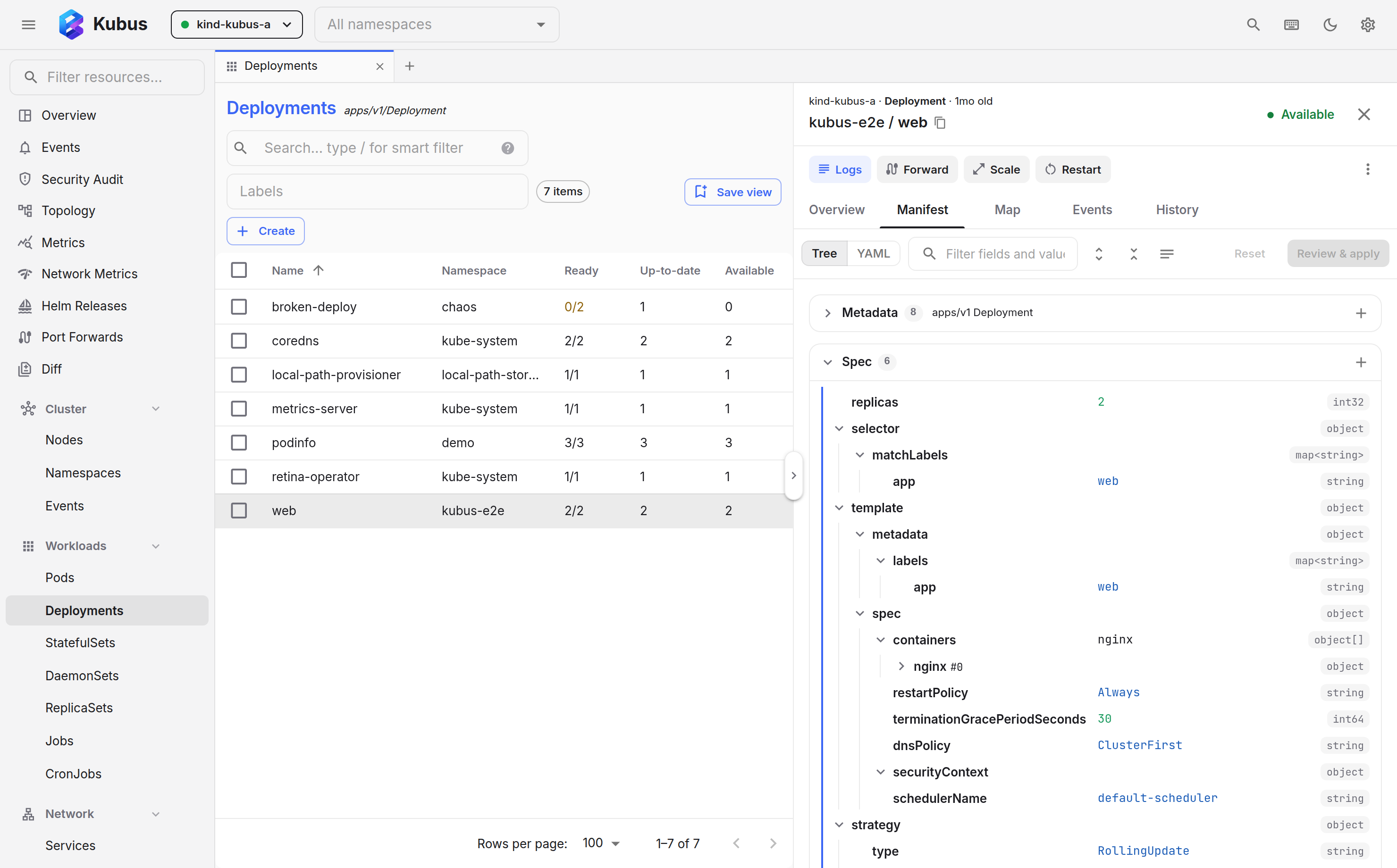
The Manifest tab shows the whole object as a tree, one section per top-level key:
Metadata, Spec, Status and whatever else the kind carries (rules, subjects, data). Each
row is a field with its value, and the field's type sits at the right edge. List items
are named after their natural key, so a container shows up as nginx rather than [0].
The Tree / YAML switch at the start of the toolbar swaps the tree for a
Monaco editor holding the same object, and Kubus remembers which one
you prefer.
Reading tools:
- Filter fields and values from the box at the top. Matching rows stay, their parents open, everything else hides.
- Expand all and collapse all switch between a full dump and the outline. Shallow fields start open, long lists start closed.
- The descriptions toggle prints each field's documentation from the API schema under its row. Off by default; hover a field name for the same text.
- Values that point at other objects are links: a pod's node, a
configMapRef, an owner reference, a scale target. Click one and the drawer follows it with a back stack. - Timestamps show relative and absolute time, status-like fields get a colored chip, long strings clamp with a Show more.
Editing works in place:
- Click a value to edit it. Booleans and enums become pickers, numbers refuse text, and
Entercommits whileEscapecancels. - Hover a row for its actions: copy the value, add a field, add a list item, delete, or
open the
...menu to copy the path or replace a whole subtree as YAML. The field picker lists what the schema still allows, with descriptions, and accepts any other name too. The + on a section header adds directly under Spec, Metadata or any other top-level key. - Changed rows are marked and counted. Each one can be reset on its own, and Reset drops everything.
- Review & apply (or Ctrl+S / Cmd+S) shows the YAML diff, runs a server dry-run and only then enables Apply.
Some rows are locked with a padlock: the status block belongs to the controller, identity fields (name, namespace, UID, resource version) belong to the API server, and a Secret's data stays masked and locked until you reveal it. The YAML view of an unrevealed Secret is read-only for the same reason, and the review diff masks the values while the apply uses the real ones.
Tree and YAML share one draft. Edit a value in the tree, switch to YAML and the text already contains it; edit the text, switch back and the tree shows the change. If the YAML does not parse, the switch waits until it does. Unapplied edits stay with their resource: close the drawer, browse elsewhere, come back, and the Manifest tab (marked with a dot) still holds them until you apply or reset them.
The tree is keyboard friendly: arrow keys move between rows, Right and Left expand and
collapse, Home and End jump, and Enter edits a value.
Editing YAML
The Manifest tab's YAML view is a full Monaco editor, the same engine that powers VS Code, with syntax highlighting, folding and the object's API schema for completion and hover help.
- Switch the Manifest tab to YAML.
- Make your changes.
- Press Review & apply (or Ctrl+S / Cmd+S). You get the same diff and server dry-run as in the tree, and Apply writes the object once the server accepts it. Reset drops your edits.
The editor works on a copy of the object taken when you opened it, so it never reloads under your cursor. Kubus keeps watching the live object, though. When it changes on the server, a banner says so right away: Reload loads the new version into a clean editor, and Rebase edits replays your edits onto it. The rebased text is serialized fresh, so it keeps every edit but not your formatting or comments.
Status updates don't count as changes, with or without edits, since controllers rewrite status all the time. Kubus writes your edits against the latest version in that case, so a Deployment in the middle of a rollout never makes you rebase.
Conflict detection
If the object changed on the server while you were editing, Kubus won't blindly clobber it. The apply is rejected, you're shown the conflict, the view refreshes to the latest state, and you can re-apply your change against it. No silent overwrites. In the tree and the YAML view alike, a banner offers to rebase your edits onto the refreshed object as soon as it changes, so you keep them instead of starting over, usually before you ever reach Apply. While Review & apply is open, the replay happens on its own and the diff and dry-run follow. If the server already holds your edits, the review closes and tells you nothing is left to apply.
Edits are real
Applying YAML patches the live resource immediately. On a protected cluster, destructive edits are gated behind a typed confirmation. There is no undo for a normal edit beyond editing again.
Creating resources
You don't need an existing object to use the editor. Kubus can open a blank YAML buffer
so you can paste or write a manifest and apply it to create the resource, the same way
kubectl apply -f would. Press Ctrl+Enter / Cmd+Enter to create without reaching
for the mouse: when you edited the template, the server dry-run runs first, and any
findings stop the create so you can read them.
See also
- Quick actions cover scaling, restarting and more without editing YAML.
- Comparing resources puts two objects side by side.
- Topology is the Map tab as a full page.