Topology
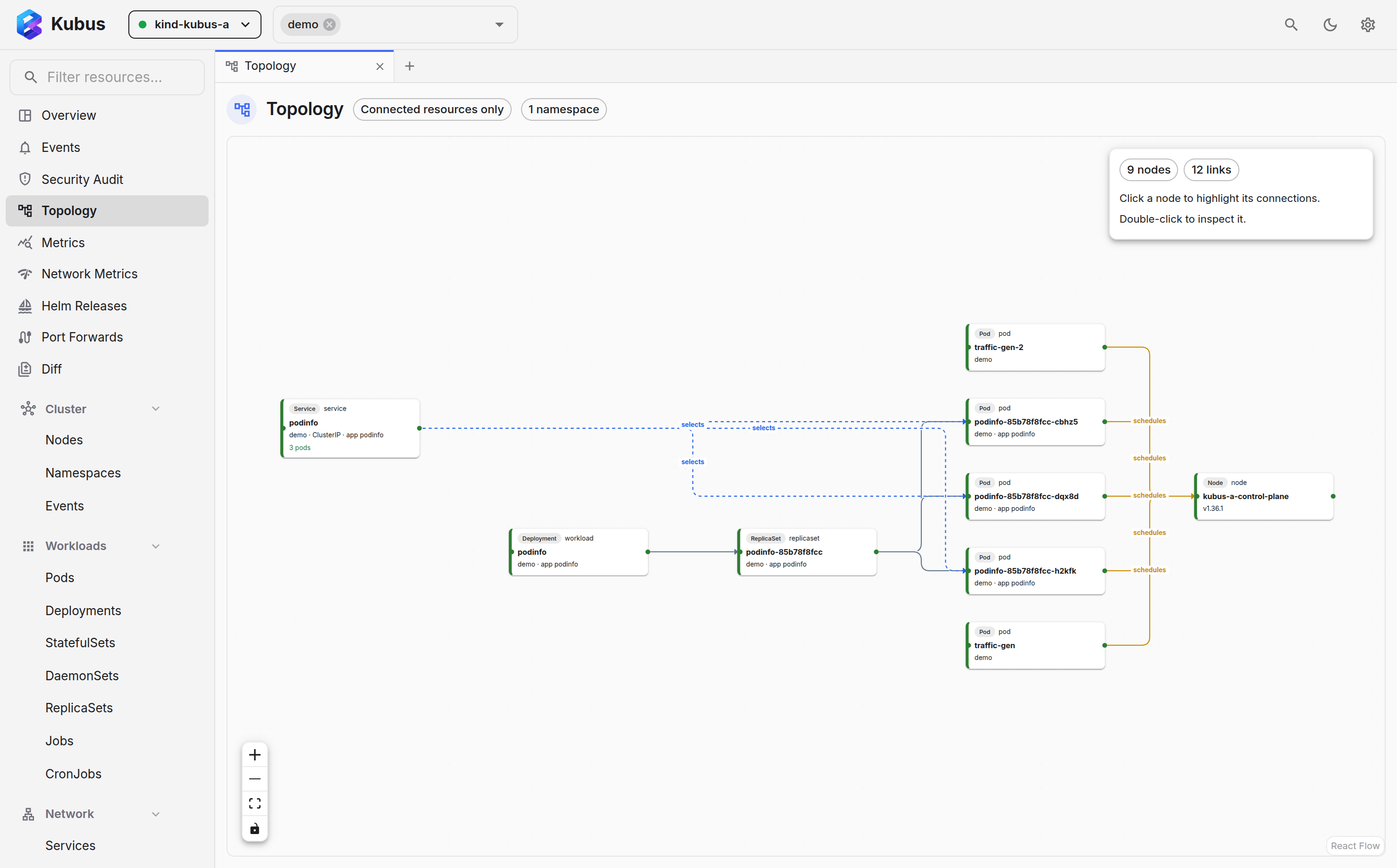
The Topology view draws the relationships between your resources as a graph: which Deployment owns which ReplicaSet owns which Pods, what Service selects them, what ConfigMaps and Secrets they mount. Sometimes a picture is the fastest way to understand what's wired to what.
Two ways in
- Full page: open Topology from the nav (or Ctrl+K → Go to Topology) for a graph of the current namespace/cluster scope.
- Focused: the Map tab in any details drawer shows a graph centred on that one object and its immediate neighbours.
Reading the graph
- Nodes are resources; edges are ownership or references. The legend at the bottom names each edge colour, and dashed edges carry traffic (routes and selectors).
- Each card names the resource's kind, and beside it the layer it sits in (entry, route, workload, storage, operator) whenever that adds something the kind doesn't already say.
- The page header counts the resources, links and issues on screen. In a drawer's Map tab the same counts lead the legend.
- The namespace filter scopes what's drawn.
- Only connected (on by default) drops isolated resources so you see what's actually wired together. Turn it off to include everything in scope.
- Old ReplicaSets that no longer run pods fold into one dashed card per Deployment. Click that card, or turn on Old ReplicaSets in the header, to show them individually.
- Click a node to highlight its links and name them. Double-click it to open its details drawer and dig in.
- The graph opens at a zoom where names stay readable. When it is larger than the screen, drag to pan and use the minimap in the corner to jump around; the fit button in the controls zooms out to show everything at once.
Tracing a problem
Start from a failing pod's Map tab and walk outward through its owner, its service and its config until you find where the chain breaks.
Save as SVG
Click the Download topology as SVG icon beside Only connected in the Topology page header. In a resource's Map tab, the same icon sits in a toolbar above the graph.
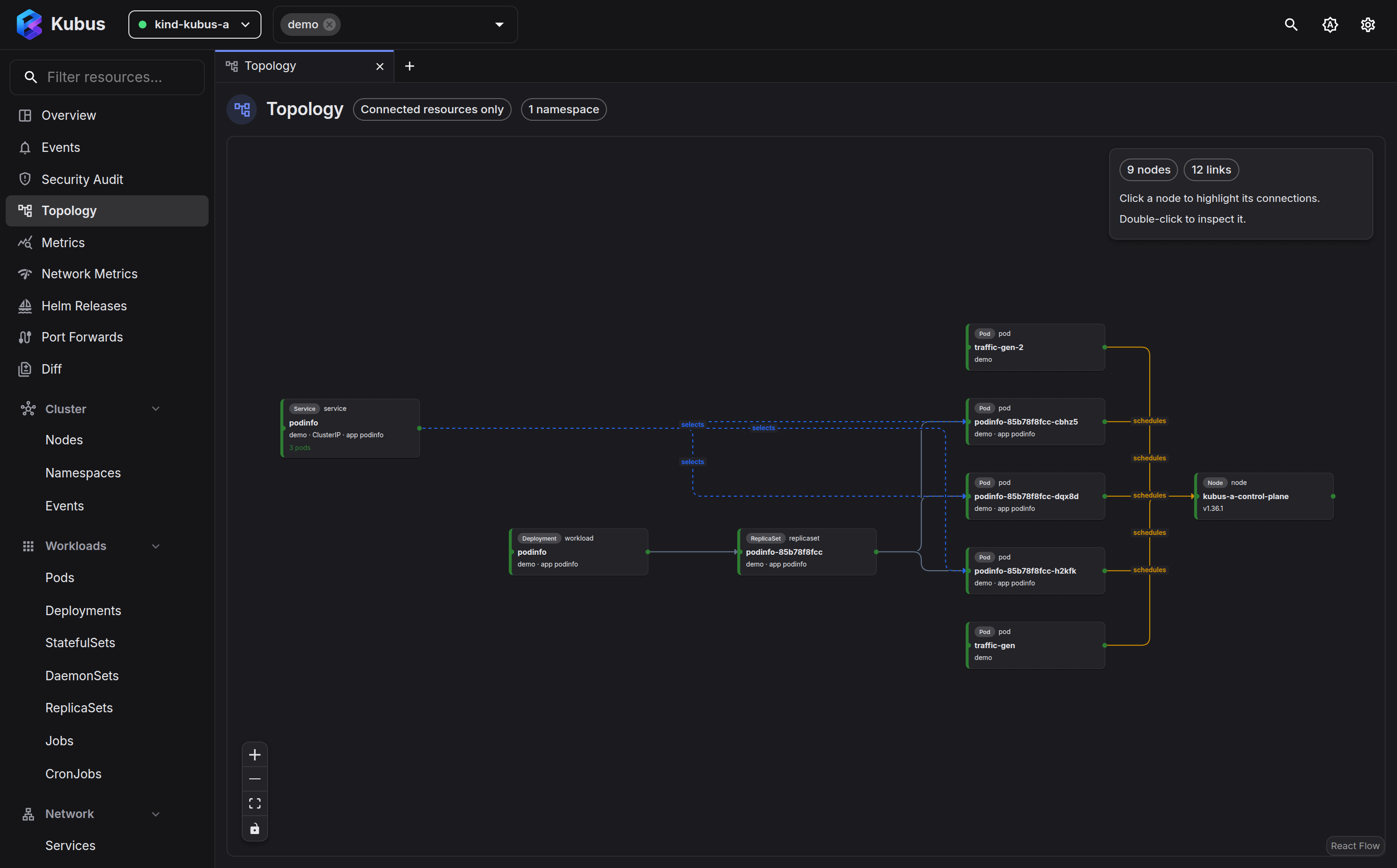
The download includes the entire graph in the current cluster and namespace scope, including nodes outside the viewport. It keeps the Only connected and Old ReplicaSets settings, any positions you moved, and the current light or dark theme. Links include arrows, labels, and a colour legend. Selection dimming is cleared so every exported resource is readable.
The file uses vector shapes and text, so it stays sharp when zoomed or printed and can be edited in an SVG editor. Export is available once the graph finishes loading and contains at least one node.
See also
- Resource details has the Map tab, focused on one object.
- Browsing resources is the list view of the same objects.